|
Painting
Images creation with Images Generator
conditionally can be shared into two methods: painting and
drawing.
Painting with Images Generator is carried out similarly to painting with help of color pencils. The user
selects image area. That image area is painted over by one of painting method. The resulting image is association of the painted over image
areas.
To set selection it is possible in several ways.There are two types of tools of
selection. The first type is based on delimitation of selection by clicking and dragging
mouse. To this type "Rectangular", "Line." " Shape "," Bezie " selection tools
concern. The second type of tools is based on color characteristics of selected area of the
image. " Magic Wand1 "," Magic Wand2 "," Background selection " selection tools concern to this
type.
If tool " Rectangular " is used dragging of mouse let you to determine rectangular
selection. Tool "Shape" let you to determine shape of selection with the help of a dialogue window
"Shape". Dragging and clicking of the mouse determine shape of selection if tools
"Freehand" and "Line" are used.
If tools " Magic Wand1 " and " Magic Wand2 " are chosen selection is set by determination of border of the one-coherent area with identical or close
colors. For this purpose it is necessary to click the mouse within the limits of
area. If tool " Background selection " is chosen the border of area on which click by the mouse is
executed, concerning background color is determined. Background color is set with the help of a dialogue
window.
Selection also can be set with the help of elements of a dialogue window "Sizes"
There
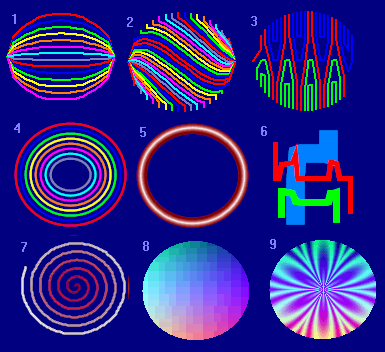
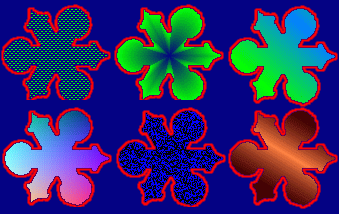
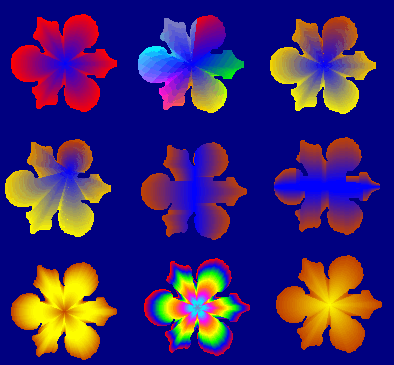
plenty methods of painting over selected image area. You can to
choose one from this method by using pattern window. Images below
show some examples.
To the allocated image area filters and functions of transformation of color can be
applied.
|